lgoace76proAndroid & iOS App
Most users access lgoace76pro on their phone rather than a desktop computer. We at lgoace76pro offer multiple ways to play on mobile — a native Android APK, iOS browser access, and a responsive web app — so you can choose the method that works best for your device and connection.

- StartFirst Game
- DownloadAPK
- LoginOTP Verification
- and
Mobile-first design means faster load times, offline caching for slot games, and push notifications so you don't miss live-dealer tables or Liga 1 matches. Your account, deposits, and withdrawals work the same way on phone as they do on desktop. We keep your login secure with two-factor authentication, and your payment data is encrypted end-to-end.
This guide walks you through installing lgoace76pro on Android, accessing it on iOS, and troubleshooting common setup issues. Whether you're in Jakarta, Surabaya, Bandung, or Medan, the installation process is the same — and support is available in English during business hours if you get stuck.
How to access lgoace76pro on your phone
We at lgoace76pro support three mobile paths: Android APK download, iOS Safari browser, and a web app that works on any phone. Each has its own strengths. Android users can download our APK directly and install it as a native app. iOS users access lgoace76pro through Safari or Chrome and can add a shortcut to their home screen. Both methods give you instant access to live-dealer tables, slots, sports betting, and esports markets.

Installation steps for Android
-
Download the APK
Visit lgoace76pro.com on your Android phone and tap the Android APK button to download the installer file.
-
Enable unknown sources
Go to Settings → Security and toggle "Unknown sources" on so your phone allows installation from outside the Play Store.
-
Install the app
Open your Downloads folder, tap the lgoace76pro APK file, and follow the on-screen prompts to install.
-
Log in or register
Launch the app, create a new account or sign in with your existing lgoace76pro credentials, and start playing.
App vs. browser: which is right for you
The native lgoace76pro Android app offers offline caching, so slot games like Aviator and Sweet Bonanza load faster even on slower connections. Push notifications alert you when live-dealer tables open or when a Liga 1 match is about to start. The app also uses less data than the browser version because it caches game assets locally. On iOS, the browser experience is nearly identical to the app — Safari and Chrome both support full lgoace76pro functionality, and you can add a home-screen shortcut for quick access.
If you prefer not to download an APK, the web app works on any phone without installation. Simply visit lgoace76pro.com in your browser, log in, and play. The web version is responsive and adjusts to your screen size automatically. All three methods — Android app, iOS browser, and web app — connect to the same account, so your balance and transaction history sync instantly across devices.
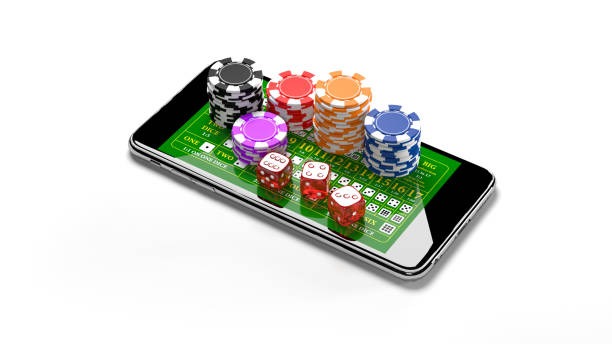
Mobile app benefits
- Offline caching for faster slot-game loading
- Push notifications for live tables and sports events
- Lower data usage than browser version
- One-tap login with saved credentials
- Home-screen shortcut for instant access
Device compatibility
We at lgoace76pro support Android 7.0 and later on phones and tablets. iOS users need Safari or Chrome on iOS 12 or later. Most phones sold in the last five years meet these requirements. If your device is older, you can still access lgoace76pro through the web app in any modern browser. We recommend at least 100 MB of free storage for the Android APK and a stable internet connection (WiFi or 4G) for live-dealer games.
Troubleshooting common install issues
If the APK won't install, check that "Unknown sources" is enabled in your phone's security settings. Some Android versions hide this option under "Install from unknown apps" — look in Settings → Apps or Settings → Security. If you see a certificate warning, this is normal for APK files downloaded outside the Play Store. Tap "Install anyway" to proceed. If the app crashes on launch, try clearing your phone's cache (Settings → Apps → lgoace76pro → Storage → Clear cache) and restarting the app. For persistent issues, contact our support team in English and we can help troubleshoot your specific device.
Data, permissions, and account security
The lgoace76pro app requests permission to access your phone's camera and microphone for video verification during account setup, and your contacts for account recovery. We do not share these permissions with third parties. Your login credentials are encrypted and stored securely on your device. When you deposit via DANA, e-wallet, mobile banking, local payment, or online payment, payment data is transmitted over a secure connection and never stored in the app. Two-factor authentication adds an extra layer of security — you'll receive a code on your registered mobile number each time you log in from a new device. If you lose your phone, you can recover your lgoace76pro account by verifying your email and identity documents on any other device.
Getting started on lgoace76pro mobile
Once you've installed lgoace76pro or opened it in your browser, the next step is account verification. We ask for your email, a government ID, and a selfie to confirm your identity. This process usually takes a few minutes. After verification, you can deposit using DANA, e-wallet, mobile banking, local payment, online payment, e-wallet, or your bank account. Deposits are instant, and your balance updates immediately in the app.
From there, you can explore live-dealer tables like blackjack and roulette, play slots such as Gates of Olympus and Fortune Tiger, bet on Liga 1 and Piala AFF matches, or try esports markets on Mobile Legends and Free Fire. All games are available on mobile with the same odds and payouts as the desktop version. If you have questions about a game or need help with a withdrawal, English support is available during business hours through the help section in your lgoace76pro account.
- Account verification
- Email, ID, and selfie — takes a few minutes, required before withdrawal.
- Deposit methods
- mobile banking, local payment, online payment, e-wallet, mobile banking, local payment, online payment, e-wallet, mobile banking, local payment.
- Withdrawal
- Subject to verification windows; funds return to your original payment method.
- Support
- English help available during business hours via the app or website.
We at lgoace76pro are committed to keeping your mobile experience fast, secure, and enjoyable. Whether you choose the Android app, iOS browser, or web version, you're accessing the same platform with the same games, odds, and payment options. Our services are available only where local law permits — verify that access and use of lgoace76pro comply with the laws of your jurisdiction before you begin.